
Planning a trip to South Korea and wondering how to stay connected? Having mobile data makes traveling much easier, whether you are using Naver Map, translating Korean, calling a taxi, or checking transportation information.
Travelers to Korea can choose between a physical SIM card, an eSIM, or a portable Wi-Fi device. The best option depends on your phone, trip length, data needs, and whether you need a Korean phone number.
In this guide, we’ll explain the differences between SIM cards and eSIMs in Korea, where to get them, what to check before buying, and practical tips to help you stay connected throughout your trip.
SIM Card vs eSIM in Korea: What’s the Difference?
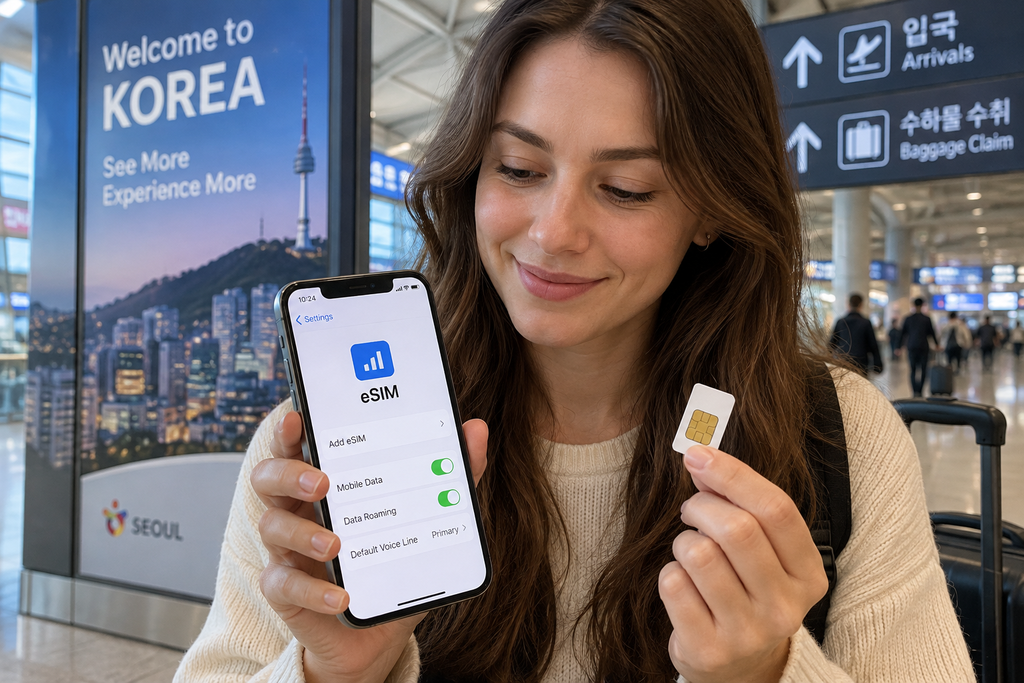
A physical SIM card and an eSIM both allow travelers to use mobile data in South Korea, but they work in different ways.
A physical SIM card is a small card that you insert into your phone. Tourist SIM cards are commonly available at major airports and other pickup locations in Korea, and some plans may also include a Korean phone number or calling features.
An eSIM is a digital SIM that can be installed on a compatible smartphone without replacing your physical SIM card. This can be especially convenient because you can purchase and set it up before arriving in Korea.
For many short-term travelers, an eSIM is the easiest option if their phone supports it. However, a physical SIM can still be useful if you need specific voice or phone-number features or prefer in-person assistance when setting up your connection.
Do You Need a Korean Phone Number?
Not every traveler needs a Korean phone number. If you mainly use mobile data for navigation, translation, messaging, and internet access, a data-only SIM or eSIM may be enough.
However, having a Korean phone number can be useful in certain situations, such as receiving calls or text messages, making restaurant reservations, contacting accommodation, or using services that ask for a local number.
One important thing to understand is that having a Korean phone number does not automatically mean you can use every Korean online service. Some websites and apps require Korean identity verification, which a short-term tourist SIM may not provide.
Phone Number Tip: Before buying a SIM or eSIM, check whether the plan includes only data or also provides a Korean phone number, voice calls, and SMS. If you specifically need a local number during your trip, do not assume every tourist eSIM includes one.
Where to Buy a SIM Card or eSIM for Korea
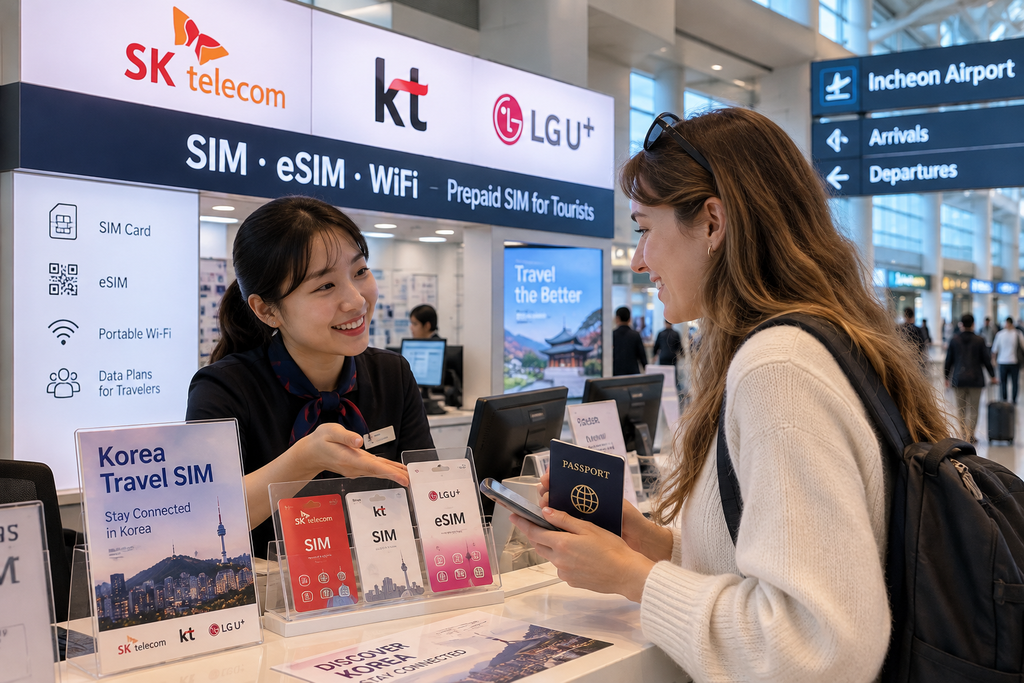
Travelers have several ways to get mobile service for a trip to South Korea. You can buy a tourist SIM card before your trip, pick one up after arriving at the airport, or purchase an eSIM online and install it on a compatible phone.
Major international airports such as Incheon, Gimpo, Gimhae, and Jeju have telecom counters or pickup locations where travelers can get tourist SIM cards. Buying at the airport can be convenient if you want help with installation or want to make sure your connection works before leaving the terminal.
An eSIM can be even more convenient because you can purchase and install it before departure. Once you arrive in Korea, you can activate the eSIM and connect to the local mobile network without visiting a counter.
Airport Pickup Tip: If you plan to pick up a physical SIM at the airport, check the counter location and operating hours before your flight. Late-night or early-morning arrivals may have fewer options available, so having an eSIM prepared in advance can be a useful backup.
Major Mobile Networks in South Korea: SKT, KT and LG U+
South Korea has three major mobile network operators: SK Telecom (SKT), KT, and LG U+. All three operate extensive mobile networks across the country, and tourist SIM or eSIM products may use one of these networks.
For most travelers visiting major destinations such as Seoul, Busan, Jeju, and Gyeongju, choosing a tourist plan based only on the network name is usually less important than comparing the plan’s data allowance, speed limits, validity period, phone-number features, and price.
When comparing SIM cards or eSIMs, check which Korean network the plan uses and whether there are any speed restrictions after a certain amount of high-speed data has been used.
Data Plan Tip: Do not choose a plan just because it says “unlimited data.” Some plans provide high-speed data up to a certain limit and then continue at a reduced speed. Check the actual high-speed data allowance and throttled speed before buying.
Check If Your Phone Supports eSIM Before Buying
Before purchasing an eSIM for South Korea, make sure your smartphone supports eSIM technology. Not every phone model has eSIM capability, and support can also vary depending on the country or region where the device was originally sold.
Your phone should also be unlocked for use with another mobile carrier. A carrier-locked device may prevent you from using a Korean SIM card or eSIM even if the phone itself supports the technology.
Check your phone settings or the manufacturer’s official specifications before purchasing a plan. It is better to confirm compatibility before your trip rather than discovering the problem after arriving in Korea.
eSIM Setup Tip: Keep the QR code or installation information for your eSIM somewhere you can access without relying on the same phone’s mobile data. A screenshot or offline copy can be useful during setup or if you need to troubleshoot the connection after arrival.
Physical SIM vs eSIM: Which Is Better for Tourists?
Choosing between a physical SIM and an eSIM depends on your phone and how you plan to travel in South Korea.
An eSIM is often the most convenient choice for travelers with a compatible unlocked phone. You can arrange your mobile data before departure, keep your original physical SIM in the phone, and connect soon after arriving in Korea.
A physical SIM may be better if your phone does not support eSIM, you prefer help from staff during setup, or you want a tourist plan that includes specific calling, SMS, or Korean phone-number features.
If you want to keep receiving messages on your home number while using Korean mobile data, check whether your phone supports dual SIM or dual SIM with eSIM. Also check your home carrier’s roaming settings to avoid unexpected roaming charges.
Roaming Tip: If you keep your home SIM active while using a Korean eSIM, make sure mobile data roaming is disabled for your home SIM and that the Korean eSIM is selected for mobile data.
How Much Mobile Data Do You Need in Korea?
The amount of mobile data you need depends on how you use your phone during your trip. Navigation, translation, messaging, and basic web searches usually use much less data than watching videos or frequently uploading photos and videos.
For many travelers, mobile data is used throughout the day for Naver Map, Papago, transportation information, restaurant searches, and messaging. If you also use social media heavily or stream videos, choosing a larger data allowance or an unlimited plan may be more convenient.
Free Wi-Fi is available in many hotels, cafés, airports, and other public places in South Korea, but it is still useful to have reliable mobile data when walking around or using transportation.
Connectivity Tip: Do not depend entirely on public Wi-Fi. Apps such as Naver Map, Papago, and taxi services are often most useful when you are already outside and moving between places, so having mobile data available throughout the day makes traveling much easier.
Mobile data is especially useful for navigation, translation, and transportation apps. See our Best Apps for Korea Travel guide to prepare the essential apps before your trip.
How to Use Your SIM or eSIM After Arriving in Korea
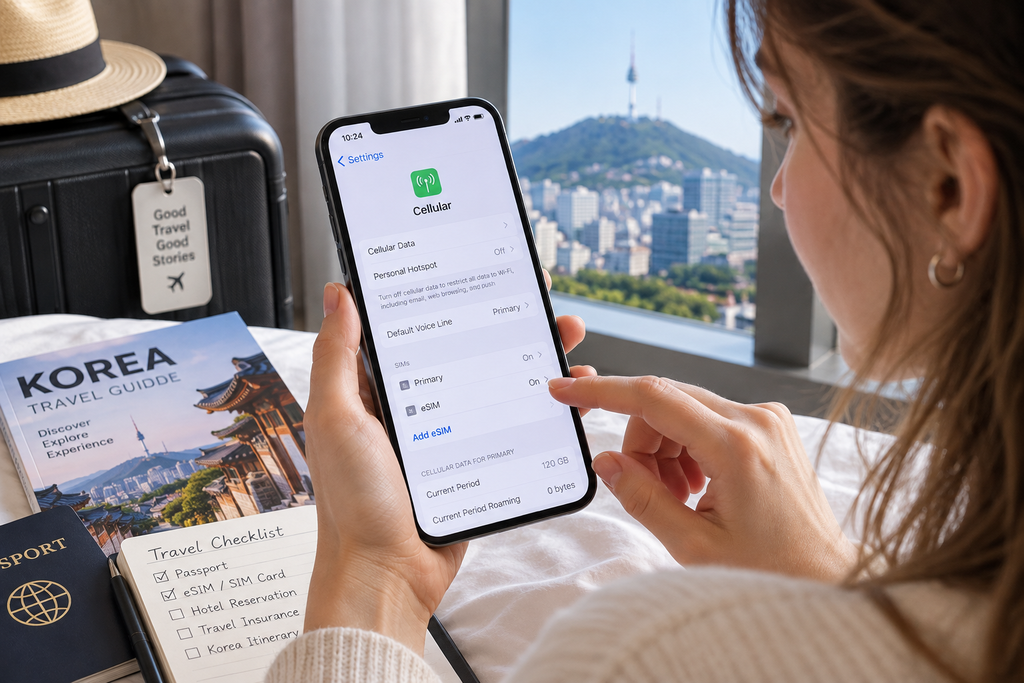
Once you arrive in South Korea, make sure the correct SIM or eSIM is selected for mobile data in your phone settings.
If you are using an eSIM, you may need to turn on the eSIM line and enable data roaming for that specific travel eSIM, depending on the provider’s instructions. Do not automatically enable roaming on your home SIM.
If you are using a physical tourist SIM, follow the activation instructions provided with the SIM card. Travelers who pick up a SIM at an airport counter can ask the staff to confirm that mobile data is working before leaving.
Before leaving the airport, test your internet connection by opening Naver Map or another website. Fixing a connection problem is much easier while you still have access to airport Wi-Fi or telecom counter staff.
Arrival Tip: Save your hotel’s Korean name and address before your flight. Even if your mobile connection does not work immediately after landing, you can still show the saved address to airport staff or a taxi driver.
If you are arriving at Incheon International Airport, our Incheon Airport to Seoul transportation guide explains the main ways to reach the city after landing.
Data-Only eSIM vs SIM with Calls and SMS
Many travel eSIMs for South Korea are designed mainly for mobile data. This is usually enough for navigation, translation, messaging apps, social media, and general internet use.
However, some travelers may prefer a plan that includes a Korean phone number, voice calls, or SMS. These features can be useful when contacting hotels, restaurants, tour operators, or other local businesses during your trip.
Before purchasing a plan, check exactly what is included. A plan that provides mobile data in Korea does not necessarily include a Korean phone number, and having a phone number does not necessarily mean it supports Korean identity verification.
Identity Verification Tip: If a Korean website asks for 휴대폰 본인인증 (mobile phone identity verification), a short-term tourist SIM or eSIM may not be enough. This is different from simply receiving a call or text message on a Korean phone number.
SIM or eSIM vs Portable Wi-Fi in Korea
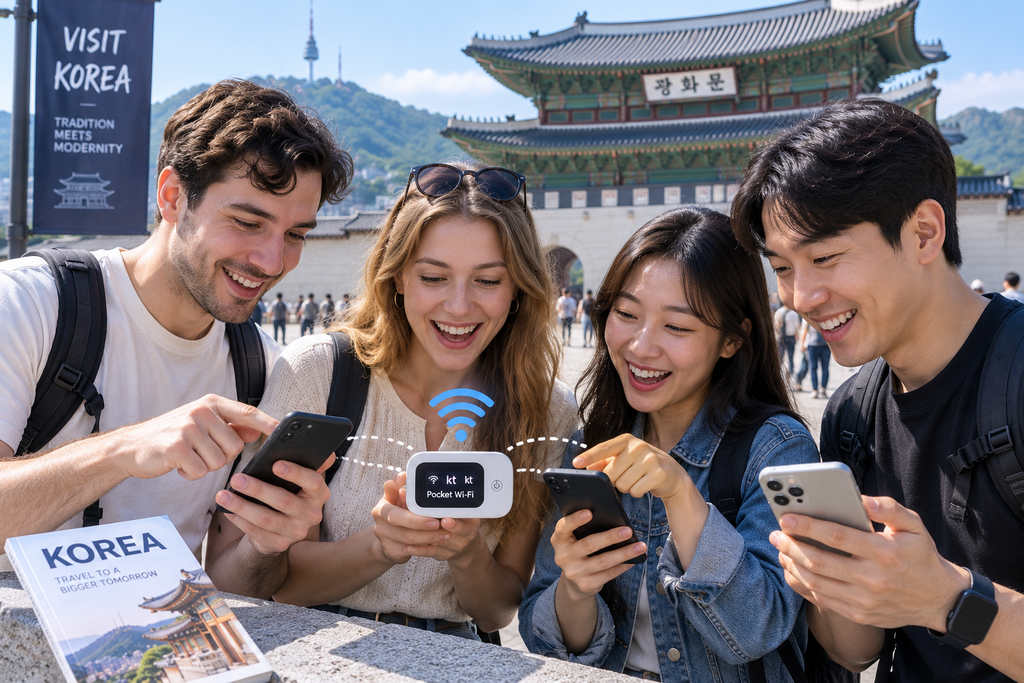
Portable Wi-Fi, sometimes called a pocket Wi-Fi device, is another option for staying connected in South Korea. Instead of installing a SIM or eSIM, you carry a small Wi-Fi router that connects your phone and other devices to the internet.
A portable Wi-Fi device can be useful for families or groups who want to share one connection across several phones or tablets. However, everyone usually needs to stay relatively close to the device, and you need to keep the router charged throughout the day.
For solo travelers, a SIM or eSIM is often more convenient because there is no extra device to carry, charge, return, or keep track of.
Group Travel Tip: If your group plans to split up during the day, relying on one portable Wi-Fi device can become inconvenient. In that situation, individual SIM cards or eSIMs may be a better choice.
What to Check Before Buying a Korea SIM or eSIM
Before purchasing a SIM card or eSIM for South Korea, compare more than just the price. Plans can differ in data allowance, connection speed, validity period, network, phone-number features, and activation requirements.
Check when the plan’s validity period begins. Depending on the provider, it may start when the SIM is activated, when the eSIM first connects to a supported network, or according to other activation conditions.
You should also confirm whether your phone is unlocked and compatible with the SIM or eSIM, and whether the plan includes a Korean phone number, calls, or SMS if you need those features.
Validity Tip: If your trip is 10 days, do not automatically assume a plan advertised for a similar period will cover your entire stay. Check exactly how the provider counts days or 24-hour periods and when the plan expires.
Mobile connectivity is only one part of preparing for your trip. Our Money in Korea guide explains how cash, credit cards, ATMs, and other payment methods work for international travelers.
What to Do If Your SIM or eSIM Does Not Work in Korea
If your SIM card or eSIM does not connect after arriving in South Korea, first check that the correct SIM is selected for mobile data and that the line is turned on in your phone settings.
For some travel eSIMs, data roaming must be enabled on the eSIM line to connect to the Korean partner network. Follow the instructions from your specific provider, as activation settings can vary.
Restarting your phone or turning airplane mode on and off can also help the device reconnect to the mobile network. If the connection still does not work, use airport, hotel, or café Wi-Fi to contact the provider’s customer support.
Troubleshooting Tip: Do not delete an eSIM profile while troubleshooting unless your provider specifically tells you to. Some eSIMs cannot simply be reinstalled with the same QR code after they have been removed.
Frequently Asked Questions About SIM Cards and eSIMs in Korea
Can Tourists Buy a SIM Card in South Korea?
Yes. International travelers can purchase tourist SIM cards for use during a trip to South Korea. They are available through Korean mobile operators and other travel connectivity providers, with airport pickup and other options depending on the product.
You may need to present your passport when purchasing or activating certain tourist SIM cards, so check the provider’s requirements before buying.
Is eSIM Available for Tourists in South Korea?
Yes. Travelers with a compatible unlocked smartphone can use an eSIM during a trip to South Korea. Many eSIM plans can be purchased online before departure, allowing you to prepare your mobile connection in advance.
Before purchasing, check that your exact phone model supports eSIM and confirm whether the plan provides data only or also includes a Korean phone number, calls, or SMS.
Which Is Better in Korea: SIM Card or eSIM?
For many travelers, an eSIM is the more convenient option if their phone supports it because it can be purchased and prepared before arriving in South Korea.
A physical SIM card may be better if your phone does not support eSIM, you want assistance with setup, or you need specific features such as a Korean phone number, voice calls, or SMS.
The better choice depends on your device and what you need during your trip.
Do I Need a Korean Phone Number While Traveling in Korea?
Not necessarily. If you mainly need internet access for Naver Map, Papago, messaging, transportation, and general travel information, a data-only SIM or eSIM may be enough.
A Korean phone number can be useful for receiving calls or text messages and contacting local businesses. However, a tourist phone number does not automatically give you access to Korean mobile identity verification services.
Can I Use My Home SIM and a Korean eSIM at the Same Time?
Many modern smartphones support dual SIM, allowing you to keep your home SIM active while using a Korean eSIM for mobile data.
This can be useful if you want to continue receiving messages on your original number while using Korean mobile data. However, features vary by phone model and carrier, so check your device settings before traveling.
Dual SIM Tip: Select the Korean eSIM for mobile data and check the roaming settings on your home SIM to reduce the risk of unexpected international roaming charges.
Final Thoughts
Staying connected in South Korea is relatively easy once you choose the right option for your trip. For many travelers with a compatible unlocked phone, an eSIM can be the most convenient choice because it can be prepared before arrival.
A physical SIM card can still be a great option if you want in-person setup assistance or need specific features such as a Korean phone number, calls, or SMS. Portable Wi-Fi may also make sense for families or groups who plan to stay together.
Before buying, compare the data allowance, speed limits, validity period, network, and phone-number features rather than choosing based on price alone.
Most importantly, prepare your connection before you need it. Having mobile data ready when you arrive makes it much easier to use navigation, translation, transportation, and other essential travel services throughout Korea.