

Planning a trip to South Korea becomes much easier when you have the right apps on your phone. From finding restaurants and navigating the subway to translating Korean and calling a taxi, a few essential apps can save you a lot of time during your trip.
One important thing to know is that some apps commonly used in other countries may not work the same way in Korea. Local apps such as Naver Map, Papago, and Kakao T are widely used in everyday life, while international services such as Uber can also be useful for travelers.
In this guide, we’ll cover the best apps for traveling in South Korea, what each app is useful for, and practical tips to help you choose the right app in real situations.
1. Naver Map – Best Map App for Traveling in Korea
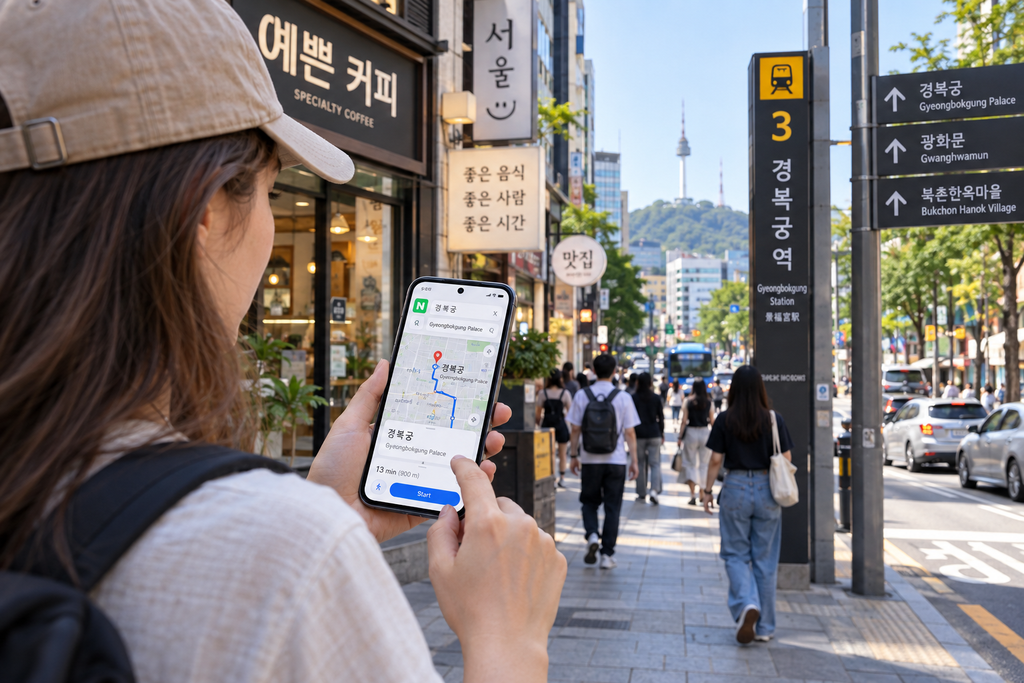
Naver Map is one of the most useful apps for traveling around South Korea. It can help you find restaurants, cafés, attractions, subway routes, bus stops, walking directions, and other places throughout the country.
While many travelers normally rely on Google Maps, navigation and local place information can work differently in South Korea. Naver Map often provides more detailed local information and is especially useful when searching for Korean restaurants, cafés, and smaller businesses.
The app supports English, and many popular places can be searched using English names. However, some smaller local businesses may be easier to find using their Korean name or address.
Navigation Tip: Search Using the Korean Name
If you cannot find a restaurant, café, or small local business by searching its English name, copy the Korean name from Google, Instagram, a blog, or the business website and paste it into Naver Map.
This is especially useful for small restaurants, local cafés, traditional markets, and places outside major tourist areas. Korean names are often more reliable for finding the exact location and avoiding similarly named businesses.
Another useful habit is to check recent visitor photos and reviews before visiting. Opening hours and business information can change, so recent activity can help you see whether a place is still operating and what it currently looks like.
2. Papago – Best Translation App for Korea
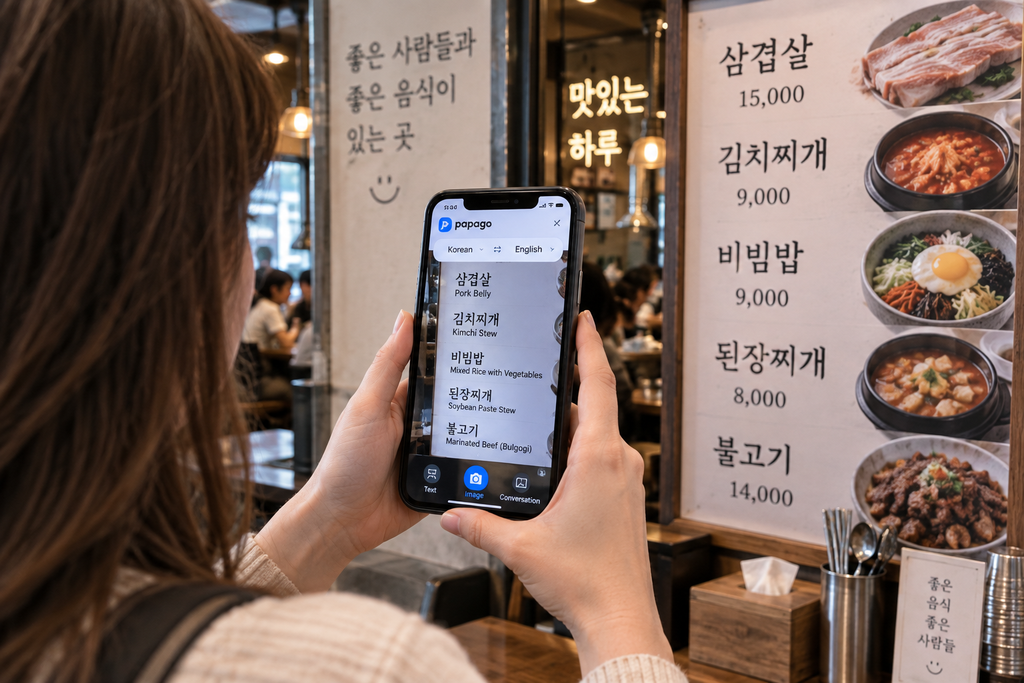
Papago is a translation app developed by Naver and is especially useful for translating between Korean and other languages while traveling in South Korea.
You can use it to translate text, conversations, and images, which makes it helpful when reading Korean menus, signs, notices, or information that is not available in English.
The image translation feature can be particularly useful at local restaurants. Instead of typing Korean text manually, you can take a photo of a menu or sign and use Papago to understand the main information.
Papago can also help when communicating with hotel staff, restaurant employees, taxi drivers, or other people when English is not available.
Translation Tip: Use Camera Translation for Korean Menus
Many local Korean restaurants do not have a full English menu, especially outside major tourist areas. In these situations, Papago’s camera translation can be much faster than translating each item individually.
Take a clear photo of the menu and use image translation to understand dish names, prices, and basic descriptions. This can be especially helpful at traditional restaurants, markets, and small neighborhood restaurants.
Keep in mind that automatic translations of Korean food names are not always perfect. If a translated dish sounds strange, try searching the original Korean name in Naver Map or showing it to the restaurant staff before ordering.
3. Kakao T – Taxi App Widely Used in Korea
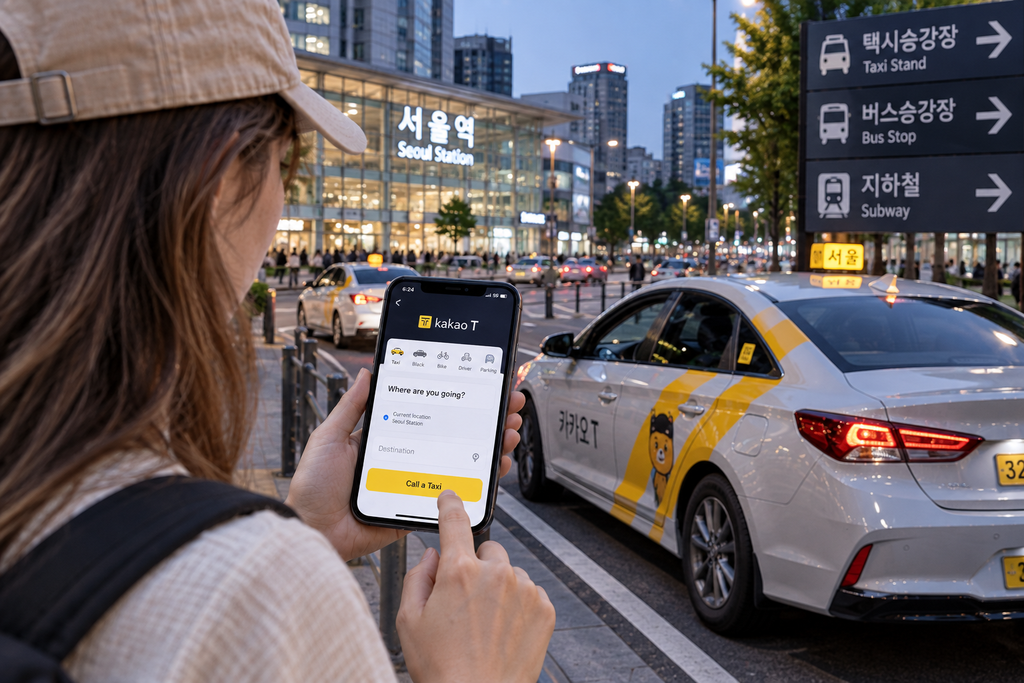
Kakao T is one of the most widely used taxi apps in South Korea and can be useful when you need a taxi without trying to hail one on the street.
The app allows you to enter your destination, check the pickup location, and request a taxi directly from your phone. This can be especially convenient when you are carrying luggage, traveling late at night, or visiting an area where finding an available taxi on the street is difficult.
For international travelers, the setup and payment options may differ depending on the app version, account, and available services. If Kakao T is difficult to set up or use with your payment method, Uber can be a convenient alternative in Korea.
International travelers can also consider k.ride, a taxi-hailing service from Kakao Mobility designed with foreign visitors in mind. It supports multiple languages and allows users to sign in with services such as Google or Apple and register overseas payment cards, which can make taxi booking easier for travelers without a Korean account or payment method.
4. Uber – Easy Taxi Option for International Travelers
Uber is also available in South Korea and can be a convenient taxi option for international travelers who already use the app in their home country.
In Korea, Uber mainly connects passengers with licensed local taxis. Travelers can enter their destination in the app, see pickup information, and request a ride without having to explain the destination verbally to a driver.
One of the biggest advantages for visitors is familiarity. If you already have an Uber account, using an app you know can be easier than setting up a new local taxi app after arriving in Korea.
Availability can vary depending on the city, time, and location, so it is useful to have both Uber and a local taxi app available during your trip.
Kakao T vs Uber: Which Should Tourists Use in Korea?
Both Kakao T and Uber can be useful for getting around South Korea, but the better option may depend on your situation.
Kakao T is widely used by locals and is a useful option to have when traveling around Korea. Uber, on the other hand, may feel more familiar to international travelers who already have an account and payment method set up before their trip.
Rather than relying on only one taxi app, consider installing both. If you have trouble finding a taxi with one app, you can check the other. This can be particularly useful late at night, during busy periods, or when traveling outside major tourist areas.
Taxi Pickup Tip: Always check the pickup point carefully before requesting a taxi. At large subway stations, department stores, airports, and busy roads, the driver may be waiting on the opposite side of the street or at a designated taxi pickup area.
5. Subway Korea – Easy Subway Route Planning
Subway Korea is a useful app for travelers who want a simple way to check subway routes in major Korean cities.
The app can help you find transfer stations, estimated travel times, and subway routes without having to understand the entire Korean subway map.
It can be particularly helpful in Seoul, where the subway network is extensive and first-time visitors may need to make several transfers during a single journey.
Naver Map is still useful for complete door-to-door navigation, but a dedicated subway app can be convenient when you simply want to check the fastest subway route or understand where to transfer.
For a complete guide to subways, buses, and T-money, read our Public Transportation in Korea guide.
6. KORAIL – For KTX and Train Travel in Korea
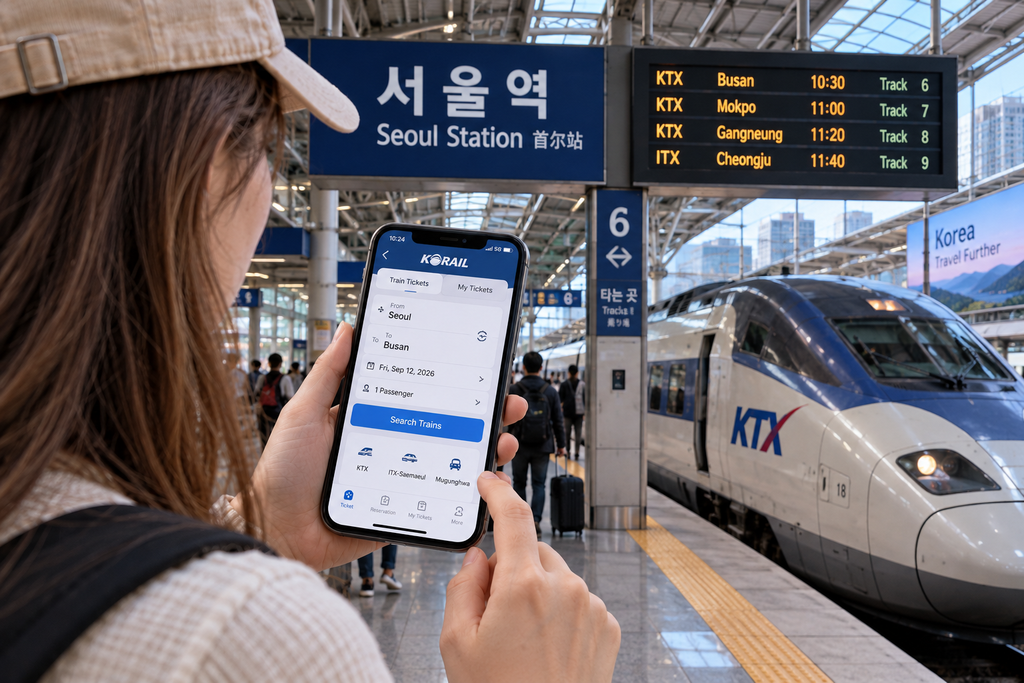
If you plan to travel between cities in South Korea, KORAIL is an important service to know. KORAIL operates KTX high-speed trains as well as many other train services connecting cities across the country.
Travelers can use KORAIL’s official booking services to check train schedules, compare departure times, and reserve tickets for routes such as Seoul to Busan, Seoul to Gyeongju, and Seoul to Daegu.
KTX tickets can sell out during weekends, public holidays, and major Korean holiday periods, so booking in advance is a good idea when your travel schedule is fixed.
Train Booking Tip: Around major holidays such as Seollal (Lunar New Year) and Chuseok, train tickets can become extremely difficult to get. If your trip overlaps with these periods, check ticket availability as early as possible and consider buses or other transportation if trains are sold out.
How Locals Find Restaurants and Cafés in Korea
When looking for restaurants and cafés in Korea, do not rely only on English-language recommendations. Many popular local places may have limited information in English, especially outside major tourist areas.
A useful method is to search the neighborhood or type of food in Naver Map and check recent photos, reviews, opening hours, and menus. Searching with Korean keywords can often reveal more local options than searching only in English.
For example, if you discover a restaurant through Instagram, YouTube, or a Korean blog, copy its Korean name and search for it directly in Naver Map. This can help you find the correct location, recent visitor photos, and updated business information.
Restaurant Search Tip: Pay attention to the most recent reviews rather than only the overall rating. Restaurants and cafés in Korea can change their opening hours, menus, or even close permanently, so recent activity is often more useful when deciding whether to visit.
Korean Addresses: Save the Korean Version Before You Go
When traveling in South Korea, it is useful to save the Korean name and address of important places such as your hotel, restaurants, and attractions.
English addresses may not always produce the exact result you expect in Korean navigation or taxi apps. Having the Korean address makes it easier to search in Naver Map, enter a destination in a taxi app, or show the location directly to a taxi driver.
Before leaving your hotel, save the Korean address or take a screenshot of it. This is especially helpful if your mobile connection is temporarily unavailable or you need to ask someone for directions.
Address Tip: For your accommodation, save both the Korean hotel name and its road-name address (도로명주소). If a taxi driver has trouble finding the English hotel name, showing the Korean address on your phone can solve the problem quickly.
Apps to Install Before Traveling to Korea
Installing a few essential apps before arriving in South Korea can make the first day of your trip much easier.
At minimum, consider installing Naver Map for navigation and Papago for translation. If you expect to use taxis, having Kakao T and Uber available gives you more options, while travelers planning to use KTX or other trains should also prepare access to KORAIL’s official booking service.
Open each app before your trip and complete any necessary account setup, permissions, or payment settings while you still have reliable internet access. This can save time after arriving in Korea.
Before departure, test the apps you expect to use most. Search for your hotel in Naver Map, try Papago’s camera translation, and check whether your taxi app opens correctly with your account and payment settings. A quick test at home can help you catch setup problems before you actually need the app in Korea.
It is also a good idea to save your hotel’s Korean name and address in your phone before departure so you can access it immediately after landing.
If you are arriving through Incheon International Airport, check our Incheon Airport to Seoul transportation guide before your trip.
It is also helpful to understand how cash, cards, and ATMs work before your trip. See our Money in Korea for Tourists guide for practical payment tips.
Which Apps Do You Really Need for Korea?
You do not need to install every travel app available for South Korea. For most first-time visitors, Naver Map and Papago are the two most useful apps to have from the beginning of the trip.
Add Kakao T or Uber if you plan to use taxis, and use KORAIL’s official service if your itinerary includes KTX or other intercity trains. A subway app can also be useful if you expect to rely heavily on public transportation in Seoul or other major cities.
The best combination depends on your itinerary, but having navigation, translation, and at least one reliable transportation option prepared before arrival will cover most everyday travel situations.
Frequently Asked Questions About Korea Travel Apps
Is Google Maps Useful in South Korea?
Google Maps can still be useful for basic place information and general orientation in South Korea, but many travelers find local navigation apps such as Naver Map more useful for detailed directions, public transportation, and finding local businesses.
For everyday travel in Korea, it is a good idea to have Naver Map installed even if you normally use Google Maps in your home country.
Can Tourists Use Uber in South Korea?
Yes. Uber is available in South Korea and can be a convenient option for international travelers. In Korea, the service mainly connects passengers with licensed local taxis rather than operating exactly like Uber in some other countries.
Travelers who already have an Uber account may find it convenient because they are already familiar with the app. However, availability can vary depending on your location and time, so having another taxi option such as Kakao T can also be useful.
Does Naver Map Work in English?
Yes. Naver Map supports English and can be used by international travelers for navigation, public transportation, and searching for many popular places in South Korea.
However, some small restaurants, cafés, and local businesses may be easier to find using their Korean names. If an English search does not work, copy the Korean name and paste it into Naver Map.
Is Papago Better Than Google Translate for Korean?
Both apps can be useful, but Papago is especially convenient for travelers in Korea because it offers text, voice, conversation, and image translation features that work well for everyday travel situations.
Rather than relying on only one translation app, you can keep both available and compare translations when a Korean phrase or menu item is unclear.
Should I Install Kakao T or Uber in Korea?
If possible, installing both gives you more flexibility. Kakao T is widely used in South Korea, while Uber may be more familiar and easier to start using for travelers who already have an account.
Having both apps also gives you another option if you have difficulty requesting a taxi with one service in a particular location.
Final Thoughts
Having the right apps ready before arriving in South Korea can make everyday travel much easier, from finding a small local restaurant to navigating public transportation or communicating when English is not available.
You do not need to install every app in this guide. Choose the ones that match your itinerary, set them up before departure, and test the features you expect to use most so you are not troubleshooting an account or payment setting when you actually need it.
Most importantly, save important Korean names and addresses before your trip and keep more than one option for essential tasks such as navigation and transportation. A little preparation before arrival can save time, reduce confusion, and help you travel around Korea with more confidence.